Empower alternatives

The 6 Best Empower Personal Dashboard Alternatives in 2026

Empower Personal Dashboard — formerly Personal Capital — is free because it is the front end of an advisory business. Six alternatives for tracking net worth and investments, ranked, priced, and clear about who ends up holding your holdings history.

  • Every price checked August 2026
  • Free and paid options
  • No affiliate-driven rankings
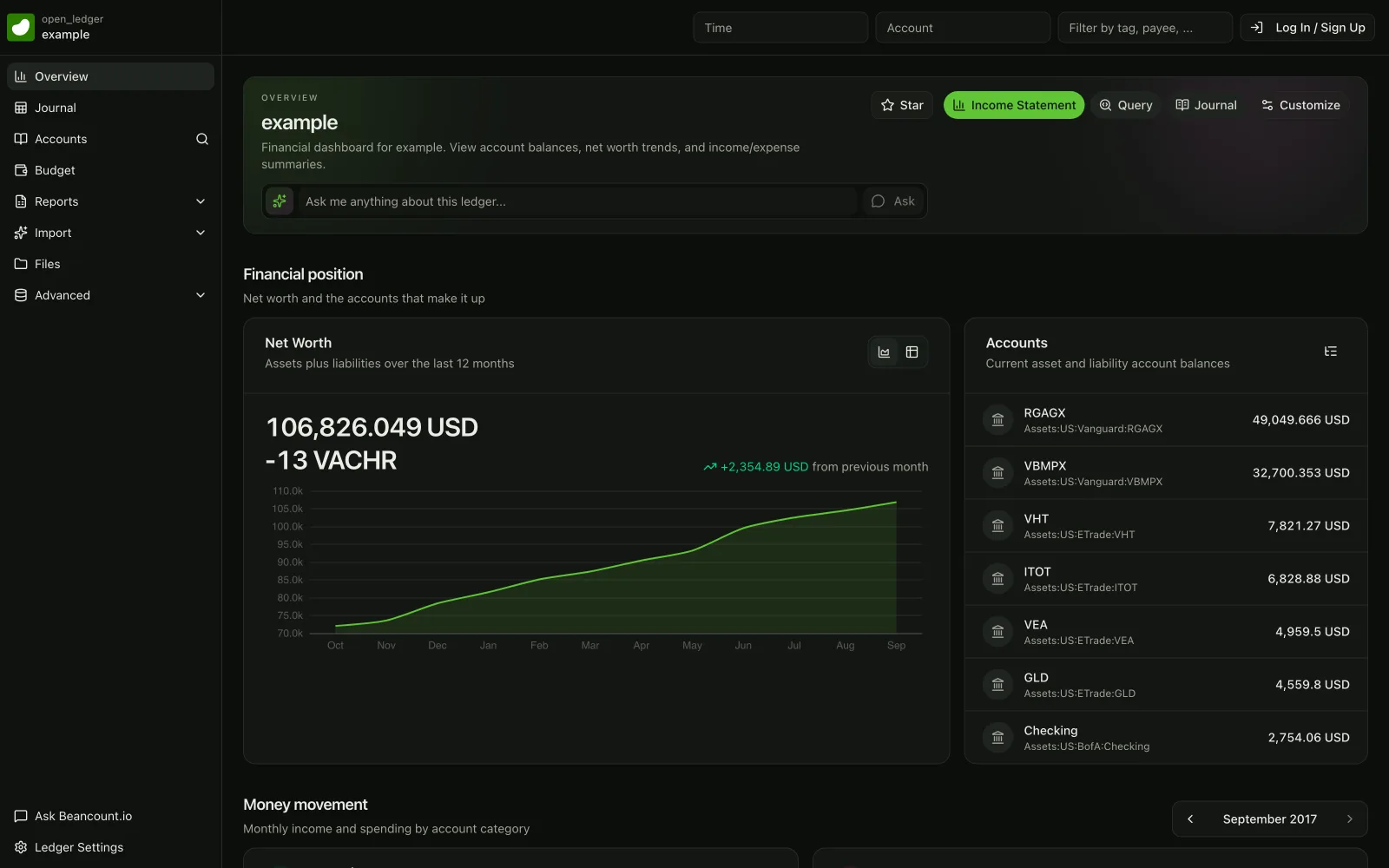
beancount.io ledger dashboard showing a net worth trend chart and account balances

The 6 best Empower Personal Dashboard alternatives, ranked

Ranked on what net-worth and investment trackers actually need: asset coverage, real cost-basis detail, projections — and nobody phoning you about your portfolio.

  1. 01

    Beancount.io

    Free core · optional hosting

    The only option here that models lots, cost basis and realised gains as accounting rather than as a chart — in plain-text files you own, from a company with nothing to sell you but software.

    Best for: Investors who want the underlying record — every lot, every dividend, every realised gain — in a format no dashboard can take back.

    Strengths

    • Real lot and cost-basis accounting, not an estimated balance
    • Multi-currency handled properly, which most trackers fudge
    • No advisory arm, so nothing here depends on your portfolio size

    Trade-offs

    • You build the account structure yourself before anything syncs
    • Account aggregation is a hosted add-on, not part of the core
  2. 02

    Kubera

    $250/yr · 14-day trial

    The closest like-for-like: everything on one balance sheet — banks, brokerages, crypto, property, vehicles — sold as a flat fee rather than a share of your wealth.

    Best for: People who used Empower purely as a net-worth dashboard and want the same view with a bill instead of a sales call.

    Strengths

    • Connects banks, brokerages, blockchains, exchanges, wallets, DeFi and NFTs
    • Prices real estate, gold and vehicles alongside liquid accounts
    • Tracks committed capital, calls, distributions and IRR on LP positions

    Trade-offs

    • The highest flat fee on this page at $250 a year
    • It is a balance sheet, not a budgeting or bookkeeping tool
  3. 03

    ProjectionLab

    Free tier · $129/yr Premium

    The replacement for the one Empower tool people genuinely miss — the Retirement Planner — built as a full financial-planning model that never asks to link an account.

    Best for: People whose real use of Empower was the retirement projection, not the daily balances.

    Strengths

    • Monte Carlo, historical backtesting and side-by-side what-if plans
    • Models Roth conversions and ACA subsidies, not just a growth curve
    • A free Basic tier, and no link to your accounts by design

    Trade-offs

    • Manual entry: it models tomorrow, it does not track today
    • The full planner is $129 a year
  4. 04

    Sharesight

    Free to 10 holdings · from $7/mo

    Portfolio performance done properly — dividends, corporate actions and capital-gains reporting you can hand an accountant — free up to ten holdings.

    Best for: Investors who came to Empower for the portfolio analysis and want reporting that survives a tax return.

    Strengths

    • Automatic trade import from 200+ brokers across 60+ markets
    • Dividends, DRPs and splits handled rather than approximated
    • Performance and tax reports built for handing to an accountant

    Trade-offs

    • Investments only — no cash flow, no budgeting, no net-worth side
    • Holdings caps push you up tiers as the portfolio grows
  5. 05

    Monarch Money

    $99.99/yr Core · $199.99/yr Plus

    The mainstream all-in-one: net worth, budgeting and household sharing in one polished subscription — with the forecasting sitting a tier above.

    Best for: Households that want Empower's overview plus real budgeting, and don't mind renting it.

    Strengths

    • Broad sync coverage with genuinely good apps
    • Household sharing included on the Core plan
    • Net worth and budgeting in one place, which Empower never did

    Trade-offs

    • Retirement forecasting and advanced investment analysis are Plus-only, at $199.99/yr
    • Your history lives in Monarch's cloud and exports 10,000 rows at a time
  6. 06

    Quicken Simplifi

    About $83.88/yr at the regular rate

    The cheapest paid dashboard that still tracks cost basis and performance alongside everyday spending.

    Best for: People who want a competent hosted dashboard for the least money and can live with a vendor's cloud.

    Strengths

    • The cheapest paid option here, connecting to over 14,000 institutions
    • Cost basis, performance and real-time quotes in the investment view
    • Share access with a partner or your own advisor

    Trade-offs

    • The headline price is a first-year promo; renewal is higher
    • Investment depth is well short of Empower's portfolio analysis

Empower alternatives compared

The six questions that decide it for a net-worth tracker. Prices checked August 2026.

What it actually costs

Beancount.io
Free core; $99.99/yr only if you want hosting
Kubera
$250/yr flat, whatever you're worth
ProjectionLab
Free tier; $129/yr for the full planner
Sharesight
Free to 10 holdings; from $7/mo billed annually
Monarch Money
$99.99/yr Core, $199.99/yr Plus
Quicken Simplifi
About $83.88/yr at the regular rate

Do they sell you advice?

Beancount.io
No advisory arm; we sell software
Kubera
None — a flat annual fee, not a share of your wealth
ProjectionLab
No; there is an advisor edition, but not aimed at you
Sharesight
No; it reports, it doesn't manage
Monarch Money
No advisory upsell on the Core plan
Quicken Simplifi
No; you can invite your own advisor

What can count toward net worth

Beancount.io
Anything you can write a posting for
Kubera
Wallets, DeFi, NFTs, property, gold, LP positions
ProjectionLab
Whatever you enter by hand
Sharesight
Listed holdings, cash and property
Monarch Money
Linked accounts plus manual entries
Quicken Simplifi
Linked accounts plus manual entries

Lots, dividends and gains

Beancount.io
Full lots, cost basis and realised capital gains
Kubera
Values and IRR; not lot-level tax accounting
ProjectionLab
Modelled, not tracked
Sharesight
Dividends, corporate actions and capital-gains reports
Monarch Money
Holdings and performance; deeper analysis on Plus
Quicken Simplifi
Cost basis, performance and real-time quotes

Retirement and what-if planning

Beancount.io
Not built in; export and model elsewhere
Kubera
Fast Forward scenario projections
ProjectionLab
Monte Carlo, backtesting, Roth and ACA modelling
Sharesight
None — reporting only
Monarch Money
Retirement forecasting is Plus-only ($199.99/yr)
Quicken Simplifi
Projected cash flow and what-if scenarios

Who holds your data

Beancount.io
You do — plain-text files on your own disk
Kubera
Kubera's cloud; CSV export
ProjectionLab
Their cloud; you typed it, so you still have it
Sharesight
Sharesight's cloud; full report exports
Monarch Money
Monarch's cloud; CSV in 10,000-row chunks
Quicken Simplifi
Quicken's cloud; CSV export

Frequently Asked Questions

What is the best alternative to Empower Personal Dashboard?

If you want the same everything-in-one-place balance sheet without the advisory relationship, Kubera is the closest match at a flat $250 a year — its own pitch is "$250 a year, not 1% of your wealth". If what you actually used was the Retirement Planner, ProjectionLab replaces that specifically and never asks to link an account. And if you want the underlying record — lots, cost basis, realised gains — in a file that is yours, Beancount.io is the only option on this page that treats investments as accounting rather than as a chart.

Why does Empower call me after I link my accounts?

Because the dashboard is the front end of an advisory business. Empower's Personal Strategy service is offered to people with "$100,000 or more in investable assets" and charges 0.89% a year on the first $1 million — about $4,450 annually on a $500,000 portfolio. Once six figures of linked investable assets show up, reviewers consistently describe a call within days offering a free portfolio review. You can decline and keep using the free tools indefinitely; it is worth knowing what the tools are for.

Is Empower Personal Dashboard the same as Personal Capital?

Yes. Personal Capital was acquired by Empower and rebranded — Empower's own transition page lists "Personal Capital app → Empower Personal Dashboard app". Same tools, same accounts, same login. The free net-worth and portfolio tracking people knew as Personal Capital is what is now called the Empower Personal Dashboard, and the wealth-management service alongside it is Empower Personal Wealth.

Can I export my investment history out of Empower?

Only partly, and this surprises people. You can export transactions to CSV from Overview then Transactions, but the file mirrors whatever date range and account-type tab you have selected, and it carries six columns — date, account, description, category, tags and amount. There is no quantity, price or ticker, so a stock purchase comes out as money leaving an account rather than as shares arriving. Your balances are portable; your holdings history essentially is not. That is the argument for keeping the record somewhere you control.

Is there a free net worth tracker that doesn't try to manage my money?

A few, with trade-offs. ProjectionLab's Basic tier is free and deliberately has no account linking. Sharesight is free up to ten holdings and reports performance, dividends and capital gains without selling anything. Beancount is free open-source software whose ledger is a plain-text file; hosted sync is optional and priced separately. None of them will phone you, because none of them earn a percentage of what you own.

A free dashboard, or a record that is yours

Start free with a plain-text ledger that tracks lots and cost basis properly — bank sync, mobile apps and imports are there when you want them.